Open Source Game Engine
Native games from TypeScript
Write TypeScript. Ship native games. No browser, no C++. Bloom compiles your game ahead-of-time and runs it on Metal, DirectX 12, Vulkan and WebGPU — one codebase, six targets, real PBR rendering and physics out of the box.
import { initWindow, windowShouldClose,
         beginDrawing, endDrawing,
         clearBackground, drawText,
         Colors } from "bloom";

initWindow(800, 450, "My Game");

while (!windowShouldClose()) {
  beginDrawing();
  clearBackground(Colors.RAYWHITE);
  drawText("Hello, Bloom!",
    190, 200, 20, Colors.DARKGRAY);
  endDrawing();
}Why Bloom?
Bloom is the only game engine that lets you write TypeScript and ship truly native games. No Electron, no WebView, no browser runtime. Your code is compiled ahead-of-time by the Perry compiler and runs against a Rust core.
Simple API
The entire API fits on a cheatsheet. No classes, no inheritance, no magic. Just functions you call.
True Native
One renderer, four backends — Metal, DirectX 12, Vulkan and WebGPU. PBR materials, cascaded shadows, TAA and post-FX in the box.
Ship Everywhere
macOS, Windows, Linux, iOS, tvOS and the Web from one codebase. Steam, App Store and itch.io ready.
Everything you need
Nine modular subsystems, each independently importable. Use only what you need.
Core
Window creation, game loop, input handling, timing, and frame control.
bloom/core Shapes
2D shape drawing — lines, rects, circles, polygons — plus collision detection.
bloom/shapes Textures
Image loading, texture management, sprite batching, and render-to-texture.
bloom/textures Text
TTF and OTF font loading, text rendering, and measurement.
bloom/text Audio
Sound effects, music streaming, 3D positional audio, WAV / OGG / MP3.
bloom/audio Models
glTF 2.0 loading, GPU skeletal animation, PBR materials, mesh primitives.
bloom/models Math
Vectors, matrices, quaternions, easing functions, and random number generation.
bloom/math Physics
Jolt-powered rigid & soft bodies, character controllers, vehicles, raycasts, constraints.
bloom/physics Scene
Retained-mode scene graph — transforms, visibility, shadows, material binding.
bloom/scene One codebase. Every platform.
Bloom maps to the native graphics API on each platform via a single wgpu-backed renderer. Your TypeScript compiles to real binaries — or to a WASM bundle for the web.
Made with Bloom
The first Bloom game is live
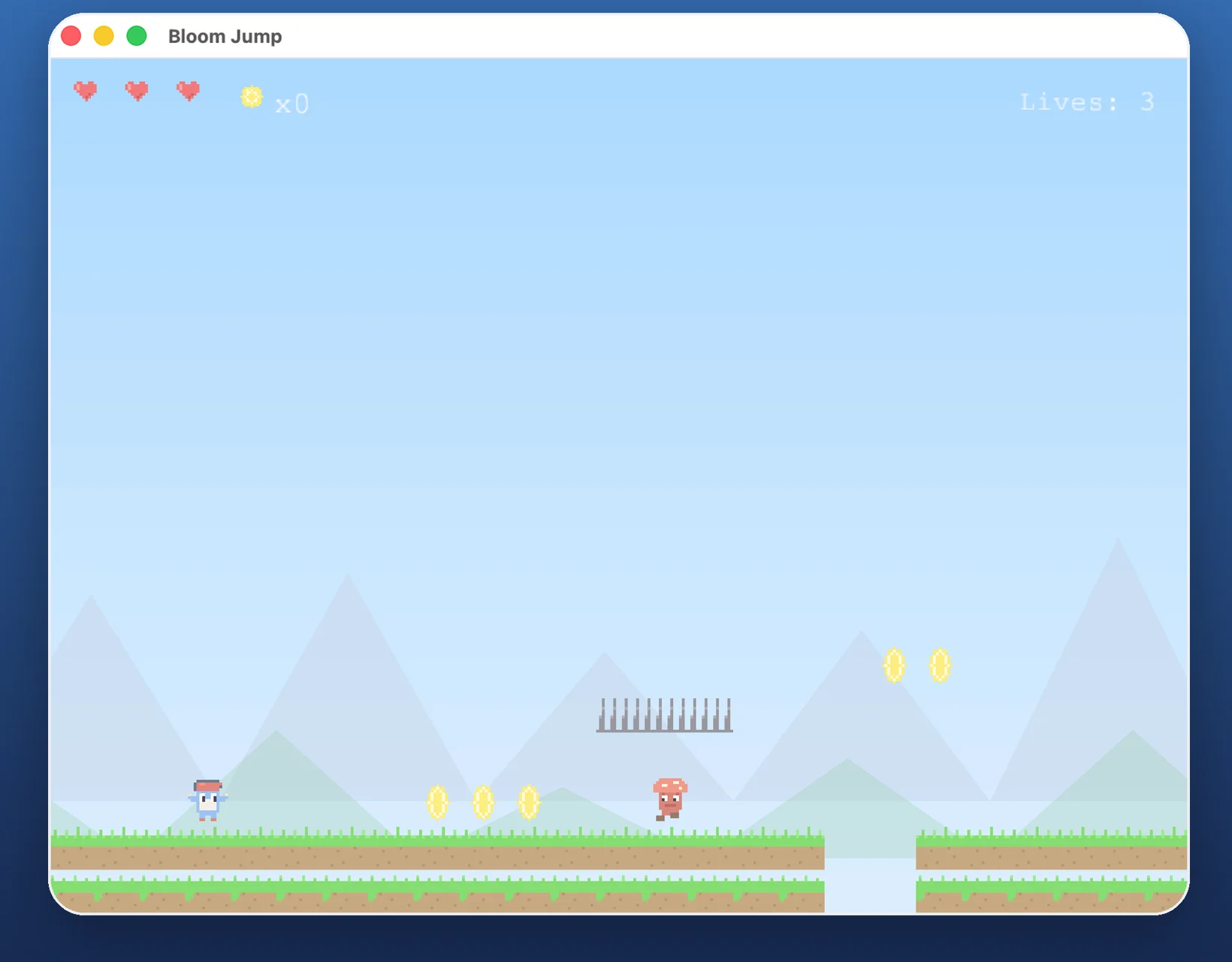
Bloom Jump, a free retro pixel platformer, is built entirely with Bloom — one TypeScript codebase running natively on iPhone, iPad, and Mac. Five hand-crafted levels, 60 FPS, original chiptune soundtrack.
What's new
Bloom is in active development — 300+ commits in the last few weeks alone. Recent highlights:
Auto-DRS & CAS sharpen
Dynamic render scale auto-tunes to your target FPS, with an upscale + RCAS sharpen pass to stay crisp at fractional resolutions.
Planar reflections + texture arrays
Mirror-like planar reflections with oblique-clip and IBL fallback. Splat-mapped terrain via texture-array bindings with mips.
Imposter baker CLI
Octahedral atlases for distant LODs — ship dense forests and crowds without choking your draw-call budget.
Stackable post passes
ACES / AgX tone mapping, auto-exposure, bloom, DoF, motion blur, SSGI, SSAO, TAA — composed via ping-pong render targets.
Cross-platform HiDPI
Windows, Linux and Web now share the same HiDPI handling that macOS and iOS already had. Your UI stays sharp on every display.
WGSL shader hot reload
Save a shader, see the result in under a second. Materials recompile in place during development.
Familiar patterns, native power
Plain interfaces, pure functions, zero magic. If you know TypeScript, you know Bloom.
2D Shapes & Collision
import { drawRect, drawCircle,
         checkCollisionRecs } from "bloom/shapes";

drawRect(100, 100, 200, 80, Colors.GREEN);
drawCircle(400, 300, 50, Colors.GOLD);

if (checkCollisionRecs(player, enemy)) {
  playSound(hitSound);
}
3D Camera & Models
const camera: Camera3D = {
  position: { x: 10, y: 10, z: 10 },
  target: { x: 0, y: 0, z: 0 },
  up: { x: 0, y: 1, z: 0 },
  fovy: 45, projection: 0
};

beginMode3D(camera);
drawModel(tree, { x: 0, y: 0, z: 0 });
drawGrid(10, 1);
endMode3D();
Ready to build your game?
Bloom is open source and free. Jump in, build something, and ship it everywhere.